You have finished building your website. The design looks good, the pages are responsive, the domain is connected, and everything appears ready to go live.
But before publishing and sharing that website with customers, clients, colleagues, or the public, there is one small thing worth checking:
How does your website look when someone shares the link?
Copy your website URL and send it through WhatsApp, Facebook, LinkedIn, X, or another platform.
Does it show the correct image?
Does it display the correct title?
Is there a useful description?
Or does the link appear with a missing image, an unexpected title, or information that doesn't properly represent your website?
This is where Open Graph tags become important.
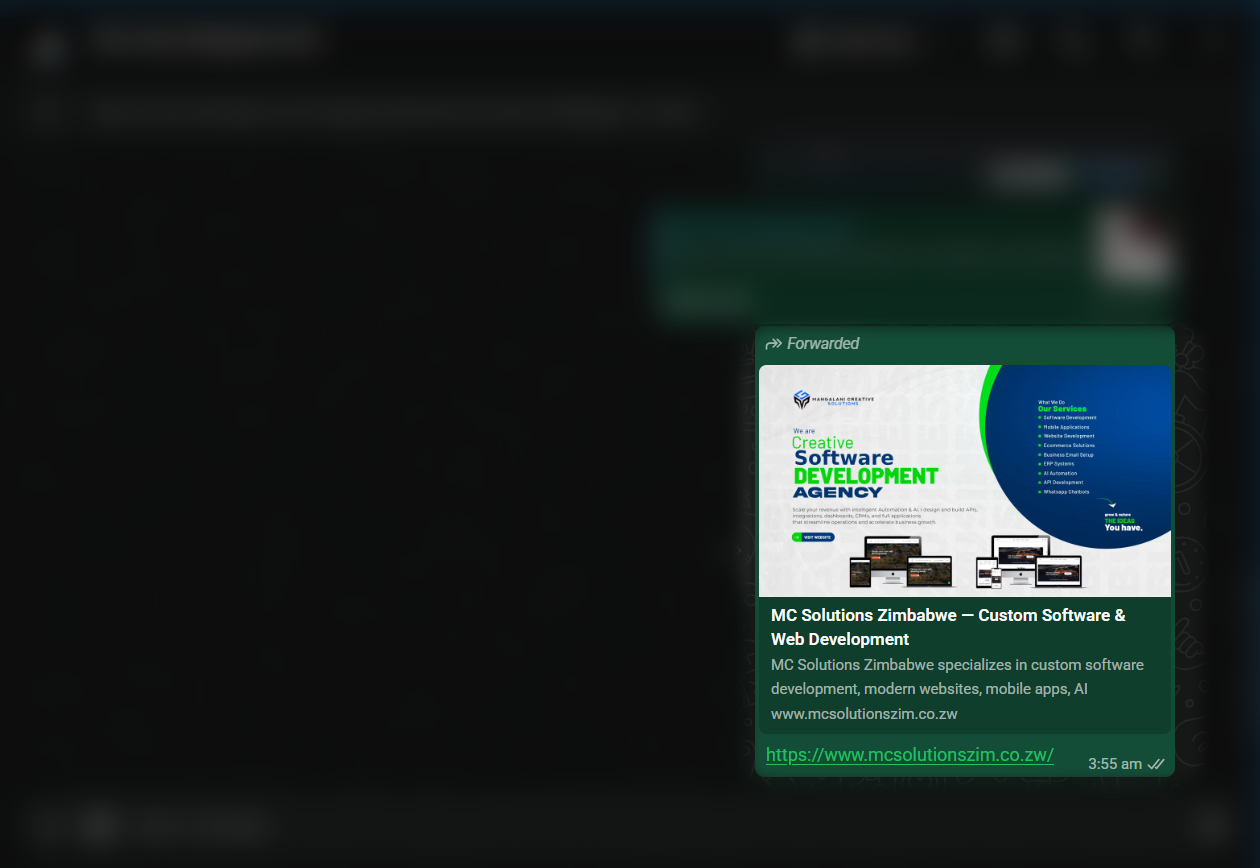
Demo: this is how a link appears on WhatsApp with proper OG tags set up.
What Are Open Graph Tags?
Open Graph tags are metadata placed inside the <head> section of a webpage. They provide information that platforms can use when creating a preview of your URL.
A basic implementation might look like this:
<meta property="og:title" content="MC Solutions">
<meta property="og:description" content="Technology solutions designed to help businesses grow.">
<meta property="og:image" content="https://example.com/images/social-preview.jpg">
<meta property="og:url" content="https://example.com">
<meta property="og:type" content="website">
The important tags normally include:
og:title the title you want associated with the shared page.
og:description a short description explaining what the page is about.
og:image the image representing the page.
og:url the preferred URL for that page.
og:type the type of content, such as a website or article.
Open Graph metadata is widely used to help platforms generate richer link previews.
Why Should You Care?
Imagine spending weeks designing a professional business website.
You finally publish it and send the URL to a potential client on WhatsApp.
Instead of seeing your carefully designed brand image, company name, and description, the client sees an unattractive or incomplete link preview.
Your actual website might be excellent.
But before the person even opens it, their first interaction with your website may be the link preview.
That is why Open Graph tags deserve a place on your pre-launch checklist.
Better First Impressions
A well-configured link preview can immediately communicate what your website or page is about.
Instead of sharing only:
https://example.com
someone could see a preview containing:
Technology solutions designed to help businesses grow.

example.com
The second presentation gives the visitor considerably more context before they click.
Consistent Branding
Your website probably has a logo, brand colours, typography, photography, and other visual elements.
Your shared links should feel like they belong to the same brand.
By specifying an og:image, you have greater control over which image represents the page instead of simply hoping a platform chooses an appropriate image.
Give People Context Before They Click
A URL alone doesn't always explain much.
A title, description, and image can tell someone what they are about to open.
This becomes particularly important when sharing:
Blog articles
News stories
Products
Services
Company websites
Landing pages
Portfolio projects
Event pages
For example, every article on a blog can have its own Open Graph title, description, and image.
If this article were being shared, its metadata might contain:
<meta property="og:title" content="Before You Go Live #1: Check Your Open Graph Tags">

<meta property="og:description" content="Before publishing your website, check how your links appear when shared online.">

<meta property="og:image" content="https://example.com/images/open-graph-tags.jpg">

<meta property="og:type" content="article">
Now the shared preview can represent the specific article rather than showing generic information about the entire website.
Don't Assume Your Open Graph Tags Are Working
Adding the tags to your code is only the first step.
You should actually test them.
There could be problems with your implementation that aren't obvious while viewing the website normally.
For example, your og:image URL might be incorrect, the image might not be publicly accessible, your production website might still contain development URLs, or a page might be missing its description.
That's why I recommend testing your website before announcing that it is ready.
Tools You Can Use to Check Open Graph Tags
There are different tools available for inspecting and debugging social-sharing metadata.
Some platforms provide their own debugging or preview tools, and there are also independent Open Graph validators.
The important thing isn't necessarily which validator you choose.
The important thing is:
Don't just add Open Graph tags. Validate them.
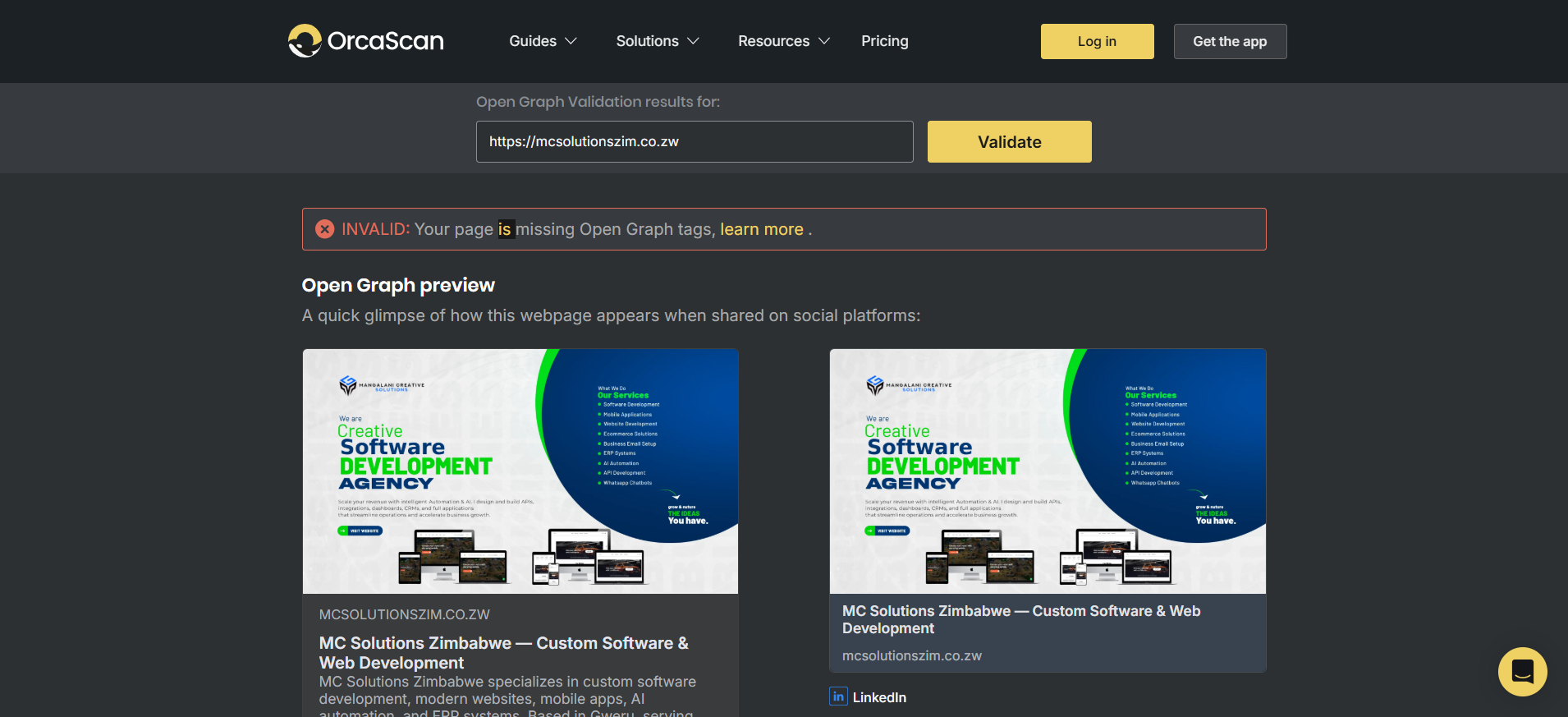
For this website, I decided to use the Open Graph Validator by Orca Scan.
The tool lets you enter a webpage URL and inspect how its Open Graph information is being detected. Orca Scan describes the validator as a way to check whether a webpage appears correctly when shared on social media.